

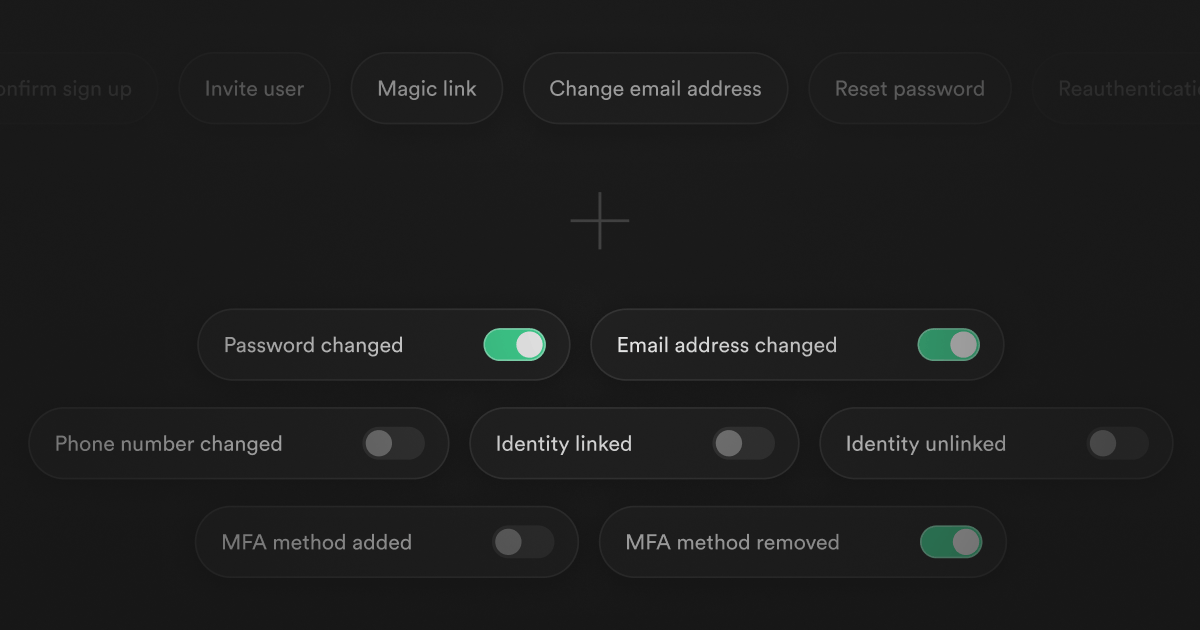
Today we're releasing 7 new email notification templates for Supabase Auth. These security-related emails can be used to notify users when sensitive actions happen on their account to help surface any suspicious activity.
For example, a user may receive an email that their password was changed, or that their email address was updated to suspicious@example.com.
What's included#
To start, we're introducing the following security notification email templates:
- Password changed - Notify users when their password has changed
- Email address changed - Notify users when their email address has changed
- Phone number changed - Notify users when their phone number has changed
- Identity linked - Notify users when a new identity (e.g.: GitHub) has been linked to their account
- Identity unlinked - Notify users when an identity (e.g.: GitHub) has been unlinked from their account
- Multi-factor authentication (MFA) method added - Notify users when a new multi-factor authentication method has been added to their account
- Multi-factor authentication (MFA) method removed - Notify users when a multi-factor authentication method has been removed from their account
Each notification includes relevant context depending on the event. For example, the old email when an address changes, the provider name when an identity is linked or unlinked, or the specific MFA method that was modified. This helps users quickly identify whether the action was legitimate.
Configuring notifications#
Dashboard#
As part of this release, we've also taken some time to give the Emails section in the Dashboard a refresh and a dedicated section in the sidebar. Each security notification can be enabled or disabled individually, and the content can be customized to match your brand and tone.
You can edit and preview the email templates directly from the Dashboard and use template variables to customize the content.
CLI#
You can also manage the new security notification templates through the Supabase CLI by updating your supabase/config.toml file:
_10[auth.email.notification.password_changed]_10enabled = true_10subject = "Your password has been changed"_10content_path = "./templates/password_changed_notification.html"_10_10[auth.email.notification.mfa_factor_enrolled]_10enabled = true_10subject = "A new MFA method has been added to your account"_10content_path = "./templates/mfa_factor_enrolled_notification.html"
where content_path is a relative path to the HTML file for the email template. The notification types can be any of the following:
password_changedemail_changedphone_changedidentity_linkedidentity_unlinkedmfa_factor_enrolledmfa_factor_unenrolled
For more details, see the Local Dev / CLI Configuration Reference.
Management API#
For programmatic management of the new security notification templates, you can use the Supabase Management API to fetch and update the email templates. For example, to enable the MFA factor enrolled notification and customize its content, you can make a PATCH request to the Auth service configuration endpoint:
_13# Get your access token from <https://supabase.com/dashboard/account/tokens>_13export SUPABASE_ACCESS_TOKEN="your-access-token"_13export PROJECT_REF="your-project-ref"_13_13# Update email templates_13curl -X PATCH "<https://api.supabase.com/v1/projects/$PROJECT_REF/config/auth>" \_13 -H "Authorization: Bearer $SUPABASE_ACCESS_TOKEN" \_13 -H "Content-Type: application/json" \_13 -d '{_13 "mailer_notifications_mfa_factor_enrolled_enabled": true,_13 "mailer_subjects_mfa_factor_enrolled_notification": "A new MFA factor has been enrolled",_13 "mailer_templates_mfa_factor_enrolled_notification_content": "<h2>A new MFA factor has been enrolled</h2><p>A new factor ({{ .FactorType }}) has been enrolled for your account {{ .Email }}.</p>"_13 }'
Once enabled, users will receive an email notifying them when their MFA factors have modified on their account.
You can find the complete list of available fields in the Management API reference.
Auth email send hook support#
Security notifications are also supported through the Auth email send hook, with new email_action_type values for each notification:
password_changed_notificationemail_changed_notificationphone_changed_notificationidentity_linked_notification/identity_unlinked_notificationmfa_factor_enrolled_notification/mfa_factor_unenrolled_notification
The hook payload includes contextual data like old_email, provider, and factor_type, enabling custom email providers and internationalization for security notifications.
For example, you can configure the Auth email send hook to send a password changed notification using Resend's brand new email templates feature via a Supabase Edge Function:
_67import { Webhook } from '<https://esm.sh/standardwebhooks@1.0.0>'_67import { Resend } from 'npm:resend@6.4'_67_67const resend = new Resend(Deno.env.get('RESEND_API_KEY'))_67const hookSecret = Deno.env.get('SEND_EMAIL_HOOK_SECRET')_67_67Deno.serve(async (req) => {_67 if (req.method !== 'POST') {_67 return new Response('method not allowed', {_67 status: 405,_67 })_67 }_67_67 const payload = await req.text()_67 const headers = Object.fromEntries(req.headers)_67 const wh = new Webhook(hookSecret)_67_67 try {_67 const {_67 user,_67 email_data: { email_action_type },_67 } = wh.verify(payload, headers)_67_67 // Handle the different notification types_67 if (email_action_type === 'password_changed_notification') {_67 const { error } = await resend.emails.send({_67 to: user.email,_67 template: {_67 id: 'password_changed_notification',_67 variables: {_67 CURRENT_EMAIL: user.email,_67 },_67 },_67 })_67_67 if (error) {_67 console.error('failed to send email:', error)_67 return Response.json(_67 {_67 error: {_67 http_code: error.code,_67 message: error.message,_67 },_67 },_67 {_67 status: 500,_67 }_67 )_67 }_67 }_67 } catch (error) {_67 console.error('failed to verify webhook:', error)_67 return Response.json(_67 {_67 error: {_67 http_code: error.code,_67 message: error.message,_67 },_67 },_67 {_67 status: 401,_67 }_67 )_67 }_67_67 return Response.json({})_67})
Check out the guide for a complete example on how to send Custom Auth Emails with Resend.
What's next#
We're planning on adding more security-related email notifications in the future, such as notifying a user when a new device has been used to log into their account or when suspicious activity is detected.
We'd love to hear your feedback on which notifications would be most useful for your application and how we can improve the existing templates.
Get started#
Here are some resources to help you get started:
- Email Templates Documentation - Complete guide to customizing all email templates
- Auth Configuration Reference - CLI configuration options for templates
- Management API - Programmatic template management
Have questions or feedback? Join our Discord community or open a GitHub issue.