Environment variables
Store API keys and other secrets where your Edge Functions can read them.
Local development and production load secrets differently, so set them in both.
- Local secrets and Production secrets have the steps for each environment.
- Accessing environment variables shows how to read a secret from your function code. When your function can't read a secret covers the local case where nothing arrives.
- Reference explains which file feeds which runtime, and lists the variables Supabase injects for you.
Local secrets#
Locally, Edge Functions read secrets from supabase/functions/.env. The local stack loads that file on supabase start.
-
Create
supabase/functions/.envand add each secret with the value you want the function to read. A.env.exampletemplate isn't enough, because the runtime reads the values rather than the variable names.# supabase/functions/.envSTRIPE_SECRET_KEY=sk_test_... -
Add the file to your
.gitignore, along with every other env file you create. A.envfile committed to Git exposes every secret in it to anyone who can read the repository.# .gitignoresupabase/functions/.env.env.local -
Create the function, then replace its contents to read the secret and report whether it arrived. Return the result of the check rather than the value, so the response never carries the secret.
supabase functions new hello-world// supabase/functions/hello-world/index.ts.(() => {const = ..('STRIPE_SECRET_KEY')return .({ : () })}) -
Start the local stack.
supabase start -
Call the function. When
configuredcomes backtrue, the runtime handed the secret to your function.curl -i --location --request POST 'http://127.0.0.1:54321/functions/v1/hello-world' \--header 'apikey: <SUPABASE_PUBLISHABLE_KEY>'
Your function now reads the secret from your local environment.
Production secrets#
Set secrets for your production Edge Functions in the Supabase Dashboard or with the Supabase CLI.
Creating or deleting a production secret requires the Owner or Administrator role. Developers can view secrets but not change them. See Access control for the full matrix.
A secret name can't start with SUPABASE_. That prefix is reserved for the variables Supabase injects, and both the Dashboard and the Management API reject it.
Using the Dashboard#
- Open Edge Function Secrets in the Dashboard.
- Enter the Key and Value for your secret, then click Save.
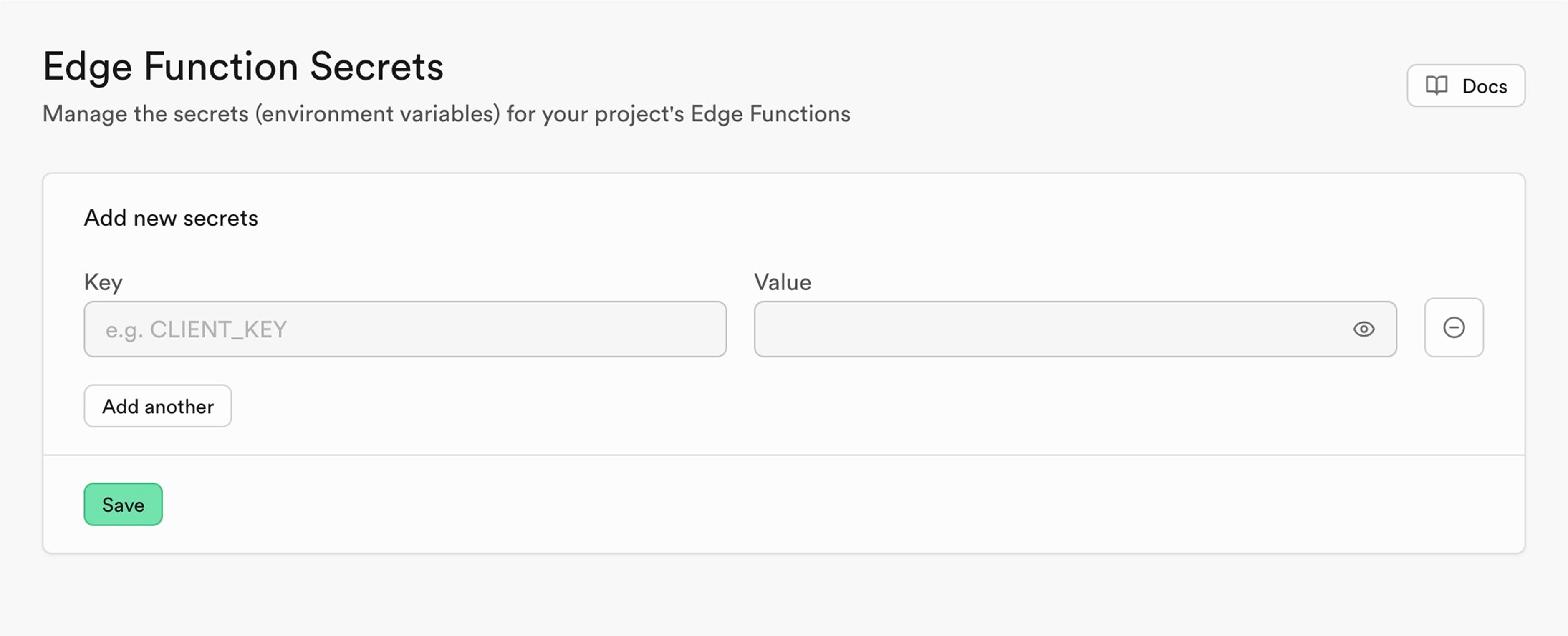
You can paste multiple secrets at once.
Using the CLI#
-
Create a
.envfile with the secrets you want to deploy, and add it to your.gitignorebefore you commit.# .envSTRIPE_SECRET_KEY=sk_live_... -
Push every secret in the file to your remote project. The command also makes them visible in the Dashboard.
supabase secrets set --env-file .env
supabase secrets set also sets production secrets individually, without a .env file.
supabase secrets set STRIPE_SECRET_KEY=sk_live_...List the secrets set on your remote project:
supabase secrets listYour functions read a new secret immediately, so you don't need to redeploy.
Your deployed functions can now read the secret.
Accessing environment variables#
Read an environment variable with Deno.env.get, passing the name of the variable.
..('NAME_OF_SECRET')In an Edge Function#
Inside an Edge Function, the Supabase keys are already in the environment. Read them and pass them to createClient:
import { createClient } from 'npm:@supabase/supabase-js@2'const SUPABASE_PUBLISHABLE_KEYS = JSON.parse(Deno.env.get('SUPABASE_PUBLISHABLE_KEYS')!)// For user-facing operations (respects Row Level Security)const supabase = createClient( Deno.env.get('SUPABASE_URL')!, // To use a different API key, change 'default' to your preferred key name SUPABASE_PUBLISHABLE_KEYS['default'])const SUPABASE_SECRET_KEYS = JSON.parse(Deno.env.get('SUPABASE_SECRET_KEYS')!)// For admin operations (bypasses Row Level Security)const supabaseAdmin = createClient( Deno.env.get('SUPABASE_URL')!, // To use a different API key, change 'default' to your preferred key name SUPABASE_SECRET_KEYS['default'])In a Deno script#
A Deno script you run yourself, outside supabase functions serve, doesn't read supabase/functions/.env. Pass the file with --env-file, and grant the script access to environment variables with --allow-env:
deno run --allow-env --env-file=supabase/functions/.env script.tsOr set the variable for a single command:
STRIPE_SECRET_KEY=sk_test_... deno run --allow-env script.tsWhen your function can't read a secret#
A variable that comes back empty usually means the value never reached the runtime.
Restart the stack, or serve the function with the file passed explicitly:
supabase functions serve hello-world --env-file supabase/functions/.envIf the value still doesn't arrive, confirm you edited the file your runtime reads.
Reference#
Look up which file feeds which runtime, and which variables Supabase injects for you.
Where local values come from#
A project can hold more than one file that feeds local environment variables, and they aren't interchangeable:
supabase/functions/.envis the one your Edge Functions read, loaded when the stack starts.- A file you name yourself, such as
.env.local, is read only when you pass it tosupabase functions servewith--env-file. - A
.envat the root of your project is the oneconfig.tomlreads, through itsenv()function. See Using secrets inside config.toml. A variable your function needs also has to be insupabase/functions/.env, even when the root file already holds the same value.
You can also set local values in config.toml itself, under [edge_runtime.secrets]:
[edge_runtime.secrets]STRIPE_SECRET_KEY = "env(STRIPE_SECRET_KEY)"Default secrets#
Alongside the secrets you set yourself, Edge Functions have access to these by default:
| Variable | Description |
|---|---|
SUPABASE_URL | The API gateway for your Supabase project. |
SUPABASE_DB_URL | The URL for your Postgres database. Use it to connect directly to your database. |
SUPABASE_PUBLISHABLE_KEYS | The publishable keys JSON dictionary for your Supabase API. Safe to use in a browser when you have Row Level Security enabled. |
SUPABASE_SECRET_KEYS | The secret keys JSON dictionary for your Supabase API. These keys bypass Row Level Security, so use them in Edge Functions and never in a browser. |
SUPABASE_JWKS | The JSON Web Key Set used to verify user JWTs. Same value served at https://<project-ref>.supabase.co/auth/v1/.well-known/jwks.json. |
Legacy keys:
| Variable | Description |
|---|---|
SUPABASE_ANON_KEY | The anon key for your Supabase API. Safe to use in a browser when you have Row Level Security enabled. |
SUPABASE_SERVICE_ROLE_KEY | The service_role key for your Supabase API. This key bypasses Row Level Security, so use it in Edge Functions and never in a browser. |
In a hosted environment, functions also have access to these variables:
| Variable | Description |
|---|---|
SB_REGION | The region the function was invoked in. |
SB_EXECUTION_ID | A UUID for the function instance, or isolate. |
DENO_DEPLOYMENT_ID | The version of the function code, formatted as {project_ref}_{function_id}_{version}. |